
Choosing an inbox
Dedicated UK number or public SMS inbox?
A private rental assigns a UK number to your account for its paid period. A public inbox publishes messages for visitors to read. Choose based on the messages you expect and how long you need the number.
Updated
Compare the access models
A public SMS inbox makes incoming messages available for visitors to read. An account-only inbox requires the person using it to sign in. “Dedicated” describes a number’s assignment during a rental; it does not establish permanent ownership or guarantee acceptance by a service.
| Question | Public SMS inbox | Rent UK Number |
|---|---|---|
| Who can read messages? | Visitors can read the messages published by that inbox. | Messages are available through the account that owns the active rental. |
| How is the number assigned? | A public listing does not provide a private rental assignment to each visitor. | The number is assigned to your account during its active paid rental. |
| Can I keep using the same number? | Check the rules and availability of the particular public inbox. | Each successful paid renewal keeps the same number and inbox active. |
| Does a service have to accept it? | No. Each service sets its own acceptance rules. | No. Verification acceptance and delivery are not guaranteed. |
Match the inbox to the messages you expect
A customer enquiry or account code can contain information intended only for its recipient. Before using any number, open the inbox information and check whether other visitors can read incoming messages.
A separate contact for a small business
A private rental lets you receive customer SMS without publishing your personal number. For example, a shop could receive a collection enquiry in its web inbox. Arrange a separate way to reply, because this service receives SMS only.
Codes for an account you will keep using
Consider both the sending service’s number requirements and future access. A later sign-in may need another code, so plan for renewal and check the account’s recovery options before relying on the number.
Understanding a publicly visible inbox
Read its rules before use. A message published there can be seen by other visitors, so it should not be treated as a private place for personal or account information.
What the private inbox looks like
In Rent UK Number, sign in and open Inbox to read messages for your active rentals. Use Filter by number to narrow the list, then select a message to see its sender, destination and receipt time. These controls help you distinguish messages when you rent more than one number.
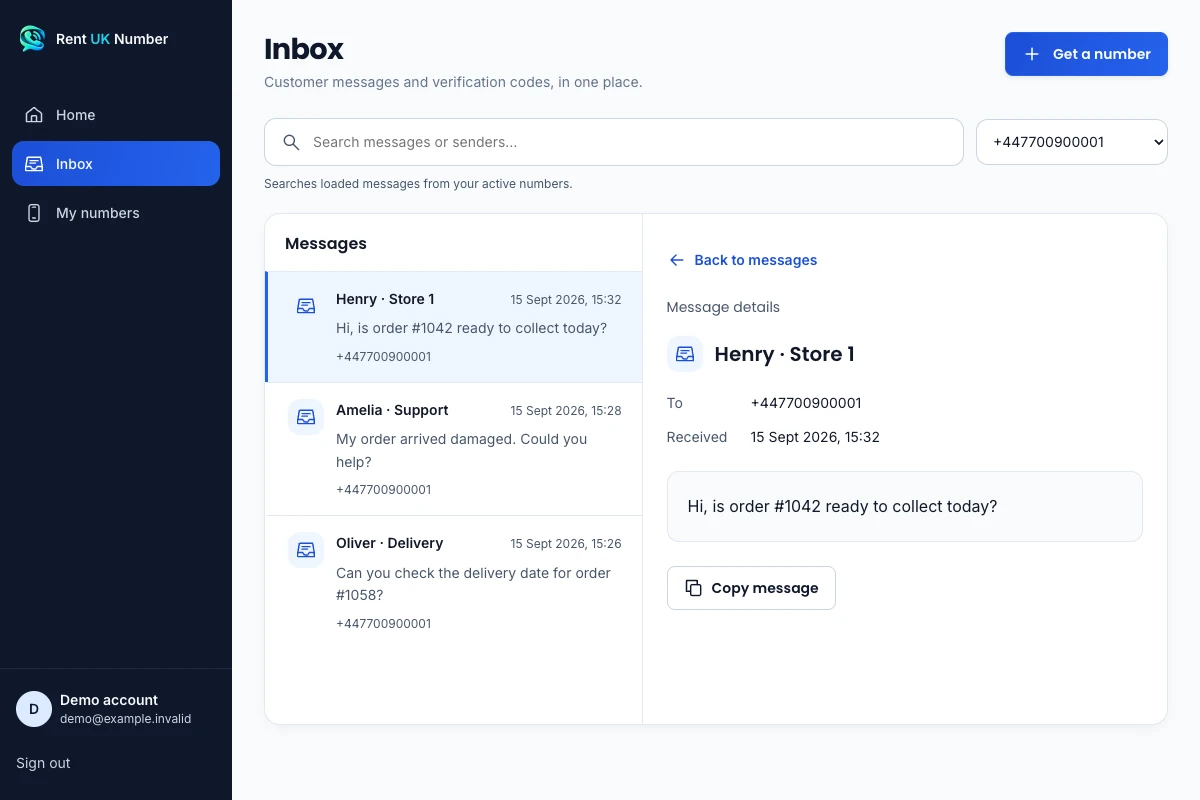
The actual inbox interface with fictional demonstration data. These sample messages are not customer records or evidence that a particular service accepts a number.
View full-size screenshotPrivacy and compatibility are separate questions
Each sender or service decides which numbers it accepts. Verification and delivery are not guaranteed.
A particular line-type classification, including non-VoIP, is not guaranteed.
Read the requirements of the service you plan to use. A private inbox does not change those requirements, and receiving one message does not prove that another service will accept the same number.
Questions to settle before choosing
Does “dedicated” mean I own the number forever?
Renting a number does not give permanent ownership of it. The assignment lasts for the active paid rental. If access ends, you should not assume the same number will be available later.
Does a private inbox include calls or replies?
Calls and outgoing SMS are not included. Check this separately from message privacy if you need a business phone service that can make calls or send texts.
Do I need to install a SIM?
No physical SIM or eSIM setup is required to read messages in the web inbox. Your existing internet connection gives you access to the signed-in inbox.