
Getting started
How to receive SMS with a rented UK number
Choose a plan, wait for your assigned number to become active, then receive SMS in the inbox for that number. You use the website on your phone or computer; no SIM installation is needed.
Updated
Check the use case before paying
Receive customer enquiries, everyday SMS and verification codes from compatible services in your browser.
Calls and outgoing SMS are not included.
If you need a verification code, first check whether the sending service accepts the kind of number you intend to use. A subscription to this service cannot guarantee another service’s acceptance.
Set up the number and inbox
Sign in and choose your plan
Create an account or sign in with email and password or Google. Choose the billing period and quantity, then review the current total.
Finish payment and check the account status
Complete payment in Stripe. When you return, wait for the account to show that the number is active. A payment status or preparation message should be resolved before you try another purchase.
Copy the assigned number
Open My numbers and choose Copy number on the active card. Use the exact assigned number, not a number from a screenshot or example. Check the destination form’s country-code instructions before pasting.
Choose the matching inbox
Use Open inbox on that number, or select it in the Inbox filter. If you have several numbers, check that you are viewing the one used by the sender.
Read incoming messages
Your inbox lists the sender, receipt time and message. Open a message to read it, or use Copy message when needed. On a narrow screen, use Back to messages to return to the list. You cannot send a reply from this inbox.
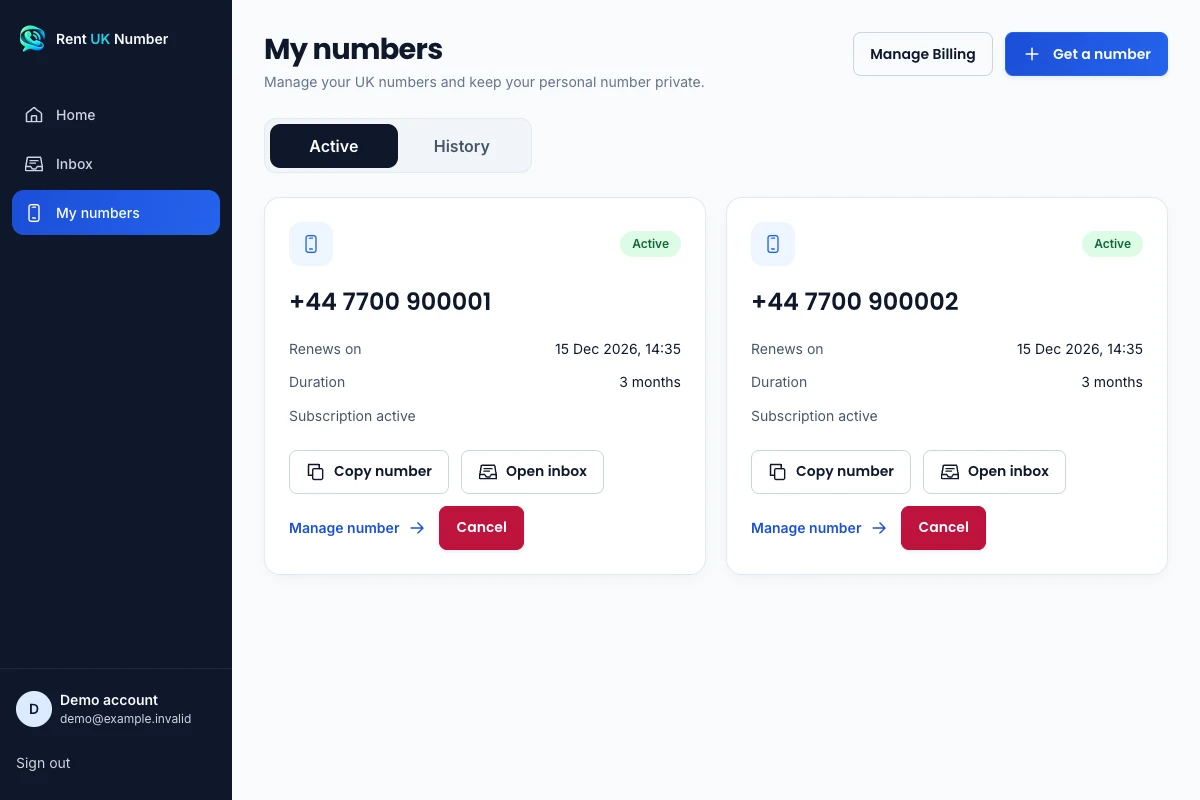
The actual My numbers interface with fictional demonstration numbers and account details. Dates and subscription details are examples.
View full-size screenshotEnter the UK country code once
When a form asks for a complete international phone number, use the copied number beginning +44. When the form has a separate country selector, choose United Kingdom and follow its example for the remaining digits. Do not add +44 to a field that already supplies it.
Before sending a customer or service your number, compare the destination with the number in My numbers. A correctly opened inbox cannot receive a message sent to a different number.
Find and open a message
For example, after a customer sends an SMS enquiry to your active number, select that number in Inbox. Choose the message to read its full text and check the sender, destination and receipt time. This is a reading workflow; a reply must use a separate channel.
Search messages or senders narrows the messages already loaded in the view. If you cannot find something, clear the search and number filter before concluding that no SMS arrived. Search is not a complete archive of messages outside your active access.
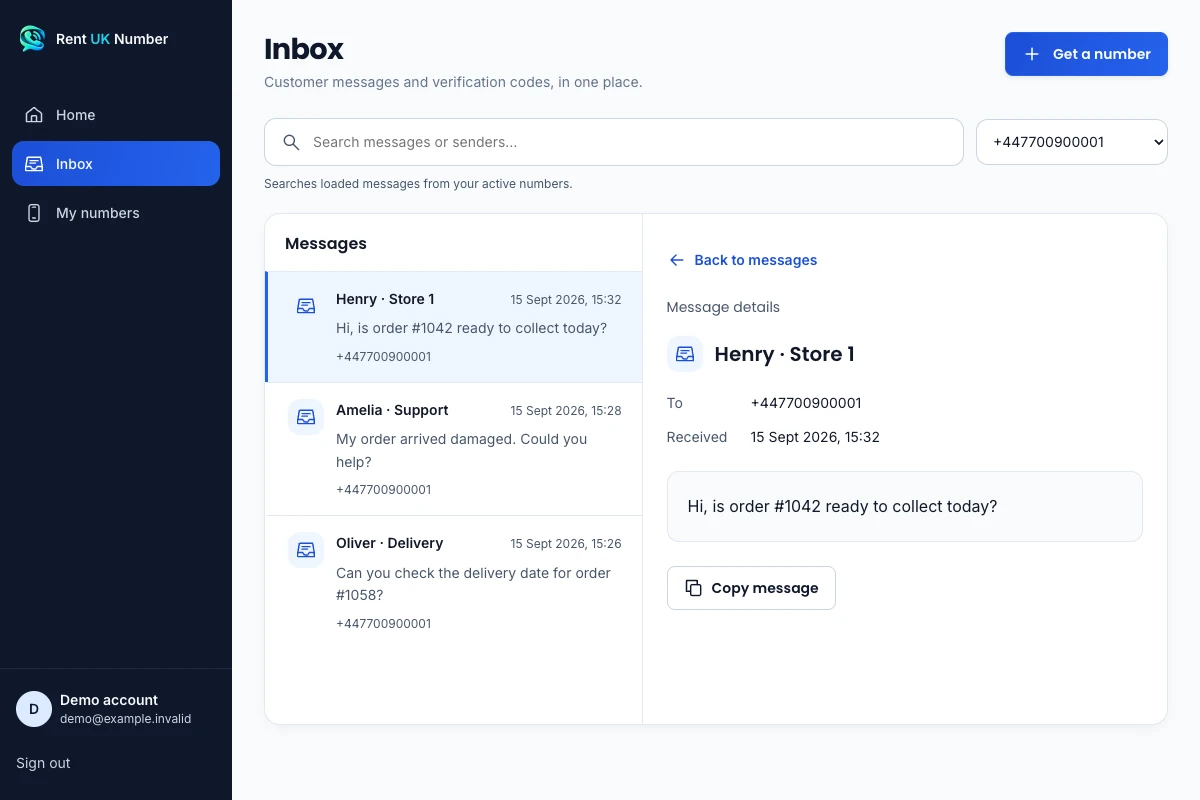
The actual inbox interface with fictional demonstration data. These sample messages are not customer records or evidence that a particular service accepts a number.
View full-size screenshotAn active inbox can still be empty
Activation makes the inbox available; it does not send a message on your behalf. Messages appear only when a sender delivers an SMS to the active number. A filter or a loading error can also affect what you see.
If an expected message is missing, check the sender and rental status before making repeated verification requests.
When you come back
Sign in using the same account you used for the rental. Your active numbers and their inboxes are available in My numbers and Inbox.
Plans renew automatically. Each successful paid renewal keeps the same number and inbox active.
Number and inbox access ends when the paid rental period ends unless a successful renewal extends it.
Common setup questions
Will a message appear as soon as I pay?
Payment and number activation do not send an SMS. After the number becomes active, a sender must deliver a message to that number for it to appear in the inbox.
Can I read messages on my phone and computer?
Yes. Open the website and sign in to the same account on either device. You do not need to move or install a SIM to read the web inbox.
Which inbox should I use if I bought several numbers?
Choose Open inbox on the number the sender used. Each rented number has its own inbox, and Filter by number helps you select the correct one.